
8 Types of Google Ad Extension To Boost Your Click-Through-Rates
Google Ad extensions are a powerful tool that can elevate your advertising strategy by boosting your ads' relevance and visibility on the search engine results page (SERP).
Ad extensions allow you to display additional information alongside your ads such as contact information, product features, and special offers.
By leveraging these extensions, you can provide a more immersive experience for potential customers, resulting in higher click-through rates and better ad performance.
To make the most of your Google Ads efforts, it's essential to understand how each ad extension type works and the best practices for implementing them effectively.
What Are Ad Extensions?
Ad extensions are additional pieces of information that enhance your Google Ads, making them more appealing and informative.
These extensions provide additional details about your business, product, or service, which helps increase click-through rates (CTR) and ultimately, improve conversion rates.
By using ad extensions, you expand your advertisement's real estate, providing potential customers with more reasons to choose your business over competitors.
Types of Ad Extensions
Ad extensions can significantly improve the effectiveness of your Google Ads campaigns by providing additional information that can engage potential customers.
Sitelink extensions enable you to add multiple links to your advertisement, leading to specific pages on your website.
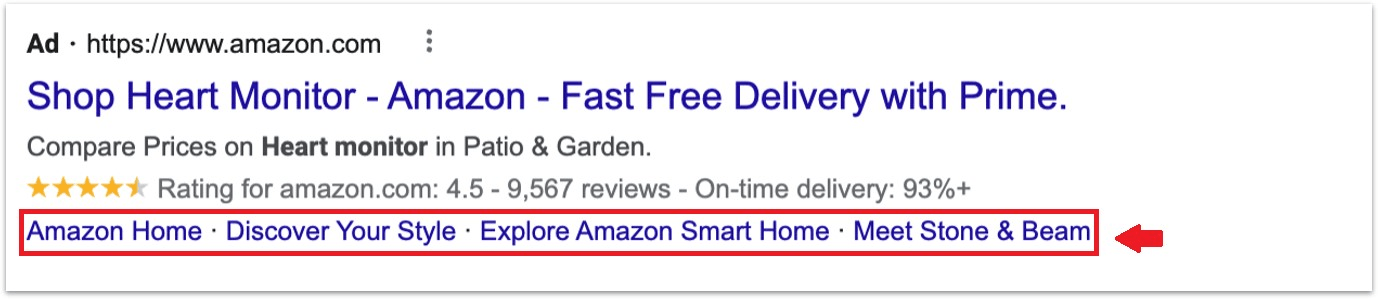
With these additional links, you can guide your potential customers to explore your site's various offerings, services or categories, and enhance the overall user experience.
Call extensions allow you to add your phone number to your ad, making it easy for potential customers to call your business directly from the search results page.
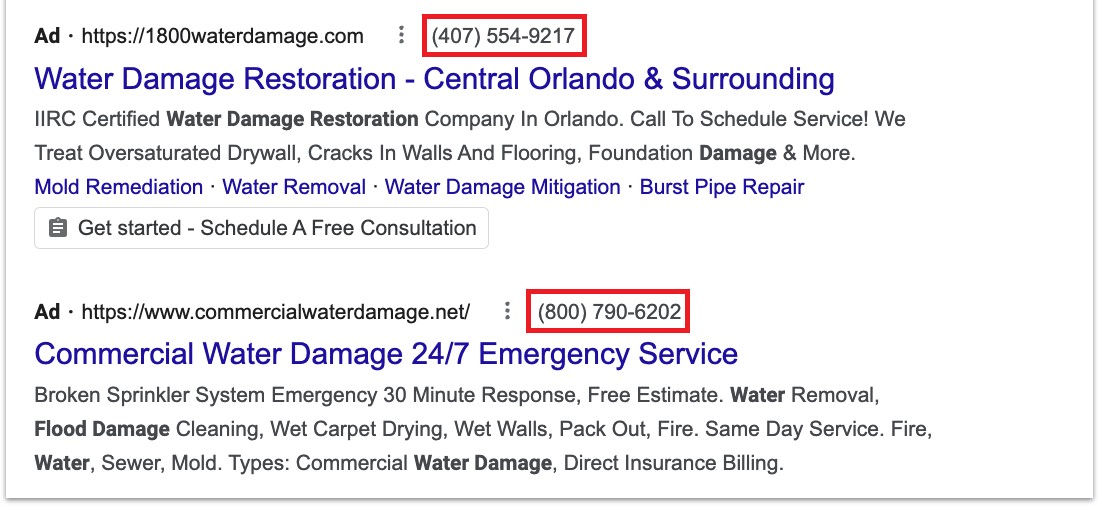
This can be particularly useful for businesses that rely on phone calls for inquiries and appointments.
Location extensions enable you to display your business address alongside your ad, allowing potential customers to find your physical location easily.
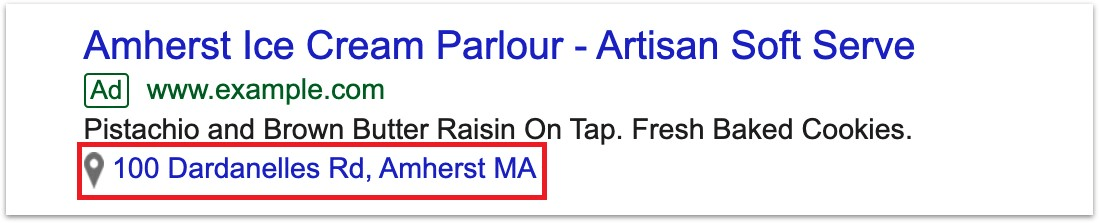
This can be extremely beneficial for businesses that rely on in-person visits, such as retail stores or restaurants.
With price extensions, you can showcase your products or services with their respective prices directly in your ad.
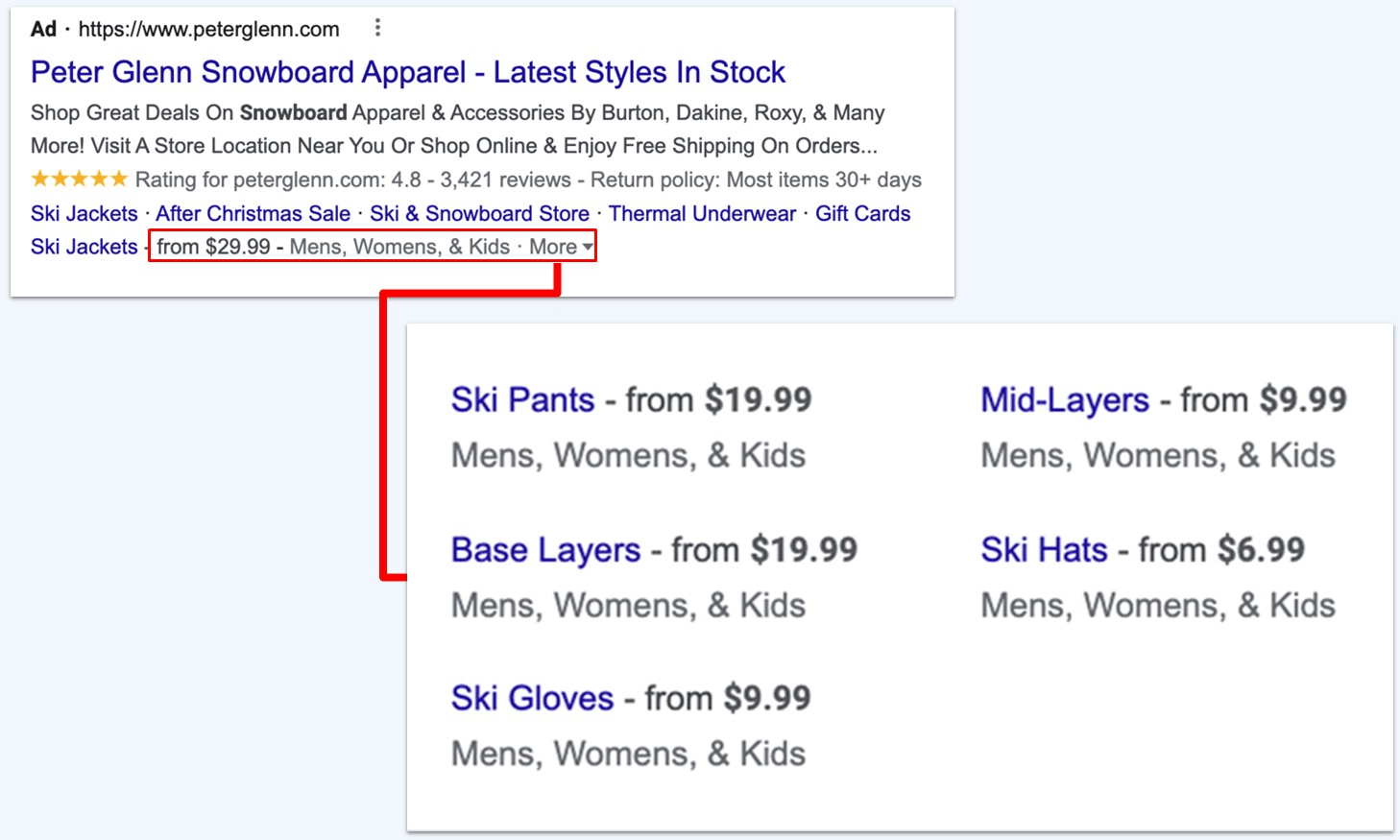
This provides potential customers with a clear understanding of what you offer and how much it costs, making it easier for them to decide if they want to engage with your business.
Promotion extensions enable you to highlight any special offers, such as discounts or deals, directly within your ad.
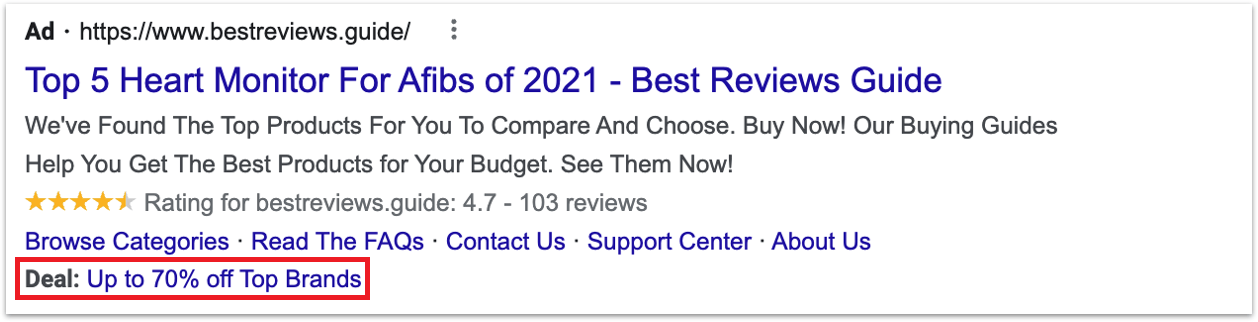
By showcasing these promotions, you can attract more potential customers who are looking for a good deal, helping you increase the chances of conversions.
If your business has a mobile application, app extensions can be a valuable tool to promote it.
These extensions allow you to showcase your app within your ad and provide a direct link for users to download it from their preferred app store.
This can increase the visibility of your app and encourage more users to download and interact with it.
Callout extensions let you add short, attention-grabbing phrases that highlight the unique features or selling points of your products or services.
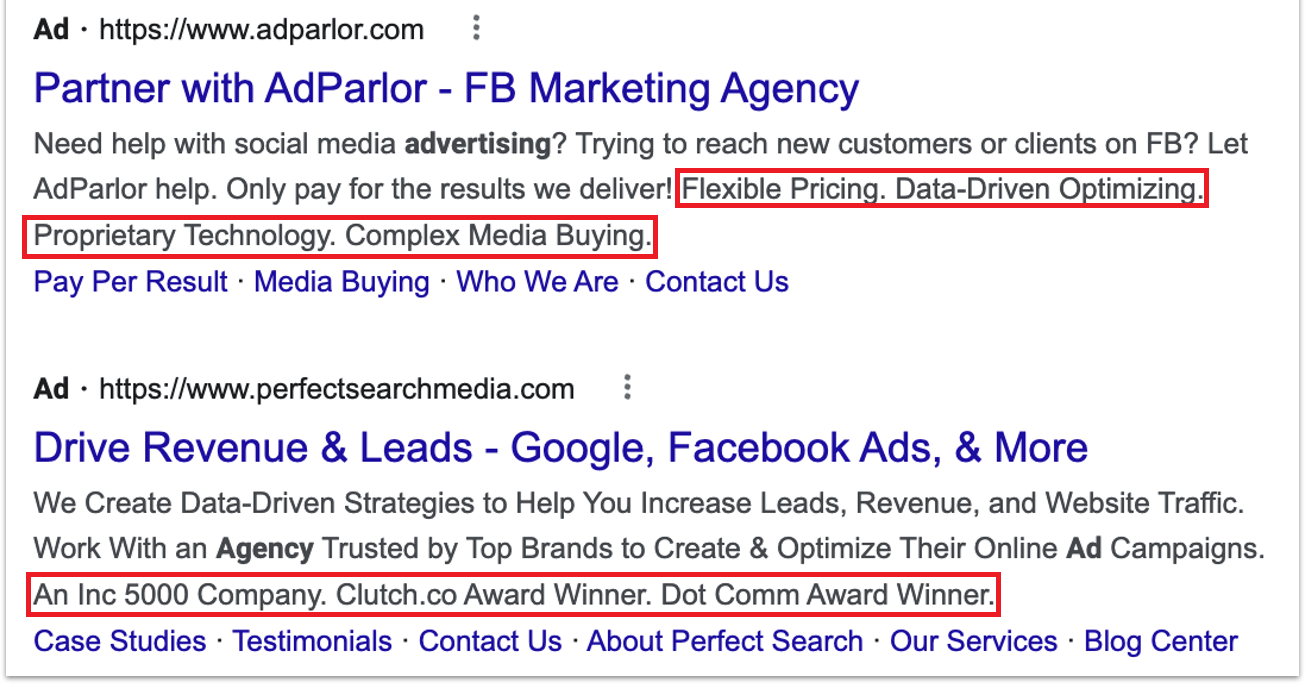
These phrases can be displayed in your ad, making it easier for potential customers to understand the advantages of your offerings.
Structured snippet extensions allow you to display a list of specific attributes, features, or categories related to your products or services.
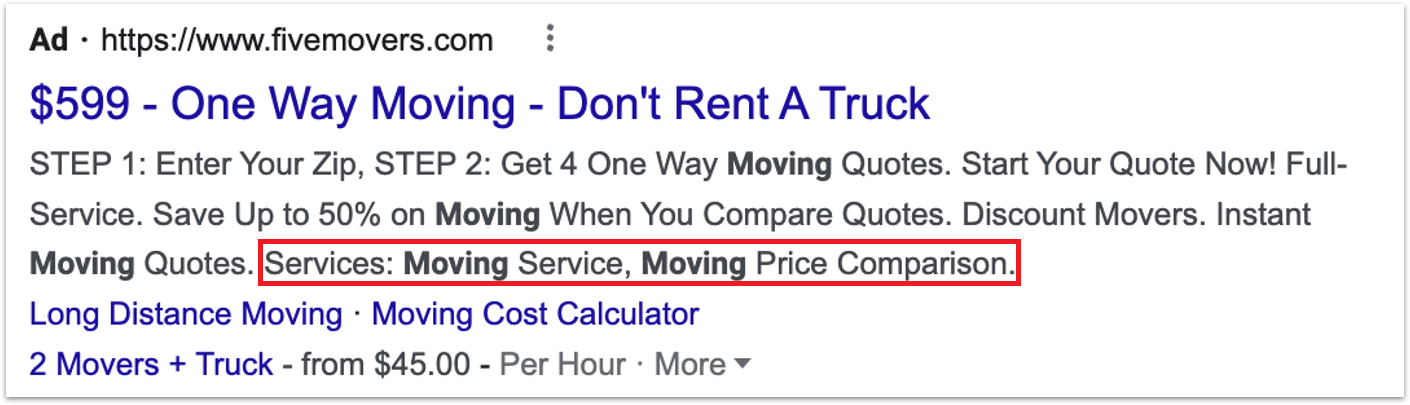
This helps potential customers get a better understanding of what you offer and makes your ad more informative and relevant.
By incorporating these ad extensions into your Google Ads campaigns, you can enhance their effectiveness and provide potential customers with the information they need to make informed decisions.
Creating and Adding Extensions
to Your Campaign
To create and add extensions to your Google Ads campaign, follow these simple steps:
1. Sign in to your Google Ads account.
2. On the page menu, click Ads & extensions.
3. Click Extensions.
4. Click the plus button (+) to create a new extension.
5. Choose the extension type you want to create and fill in the relevant information.
6. Select the appropriate level for your extension (Account, Campaign, or Ad Group).
7. To associate your extension with specific campaigns or ad groups, click Select campaigns or Select ad groups and choose the desired items.
8. Save your changes.
Remember to keep your goals in mind when choosing which extensions to add. Focus on the ones that can drive clicks and conversions.
How Ad Extensions Affect Ad Rank
and Performance
Ad extensions have a significant impact on your ad's overall performance and Google Ads' ad rank.
Ad rank determines your ad's position on the search results page.
Higher ad rank will lead to better ad visibility, which subsequently attracts more clicks and interactions.
Utilizing ad extensions can increase your ad's CTR since they provide more valuable information to potential customers.
Higher CTR translates to better ad rank, as one of the factors Google considers when determining ad rank is the expected click-through rate.
Moreover, some ad extensions, such as call or location extensions, can directly boost your conversion rates by providing users with more accessible means of contacting or visiting your business.
Remember, though, that using ad extensions does not guarantee improved performance.
It is crucial to monitor and optimize your ad extensions to ensure they are relevant and useful to your target audience.
By doing so, you can maximize the benefits of using ad extensions to improve your Google Ads performance.
Analyzing the Role of Extensions in Successful Campaigns
When examining successful campaigns, it's crucial to understand the impact of ad extensions. Here, we will analyze some components that contribute to the success of ad campaigns.
Relevance: The effectiveness of an ad extension depends on its relevance to the advertised products or services.
Timing: The time frame in which you use ad extensions is crucial. Let's consider the use of promotion extensions that display special offers or discounts. Deploying these extensions during peak hours or seasons can make your ad more enticing to those browsing for deals.
Customization: Ad extensions should be customized to fit the goals of your campaign. Use ad extensions that relate to specific aspects of your business and speak to your target audience.
For example, if your campaign is targeting a younger demographic, emphasizing mobile app usage or social media presence could be advantageous.
Conclusion
As you can see, ad extensions are key components of a successful Google Ads campaign.
They add focus and relevance to search ads, as well as help to increase ad visibility, clicks, and conversions.
Familiarizing yourself with the different types of extensions and their functions is an effective way to create ads that stand out among your competitors.
Utilizing extensions effectively can give your business a significant boost in organic web traffic and sales opportunities.
Now that you know a few things about ad extensions, it’s time for you to take action.
Click the link below to learn more about Google Ads so you can start growing your business.
SHARE


Subscribe now
Sign up for our newsletter to get the most interesting stories of the day straight to your inbox before everyone else
Privacy policy • Terms of service • | © 2025, ACT Marketing, LLC