
How To Create a Companion Banner on YouTube with Google Ads
In the realm of YouTube advertising, utilizing companion banners can be a game-changer for businesses and marketers alike.
These banners are a valuable resource, specifically designed to support video ads, allowing your brand to maintain visibility and maximize the promotion of your products and services.
A companion banner is an image-based ad displayed alongside a YouTube video ad, typically appearing on the right side of the playback window.
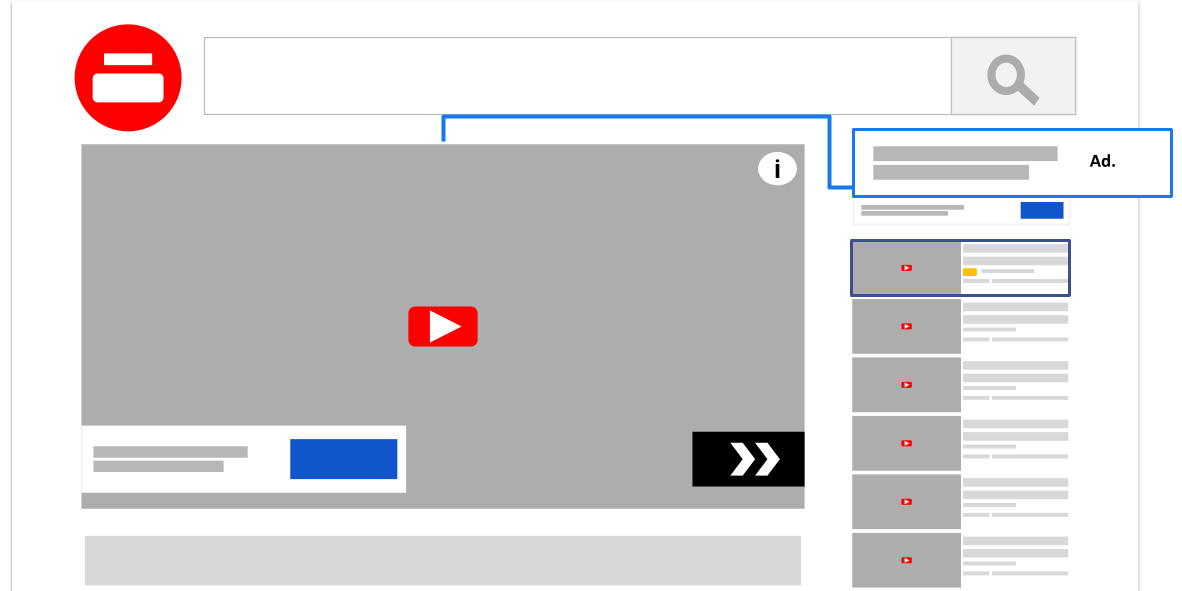
As the video plays, your audience will notice the companion banner, giving them the chance to actively engage with your brand even after the video ad has ended.
This effortlessly enhances viewer retention, offering a seamless user experience and taking your advertising presence to new heights.
By incorporating a companion banner into your advertising strategy, you create a well-rounded, interactive campaign that grabs your audience's attention.
With their customizable nature and ability to drive click-through traffic, companion banners are undoubtedly a valuable tool for amplifying your advertising efforts on YouTube.
YouTube Banner Size and Formats
Companion banners on YouTube are display ads that accompany video advertisements across the platform.
These banners are a powerful tool for advertisers, as they provide additional visibility and a potential call-to-action for viewers.
They appear in the top right corner of the watch page and remain visible even after the ad has played.
This makes it easy for viewers to click on the banner anytime, driving traffic to your website or landing page.
When creating a companion banner for YouTube, it's essential to get the size and formats right.
These banners serve as additional advertising materials that accompany your YouTube ads and promote your brand.
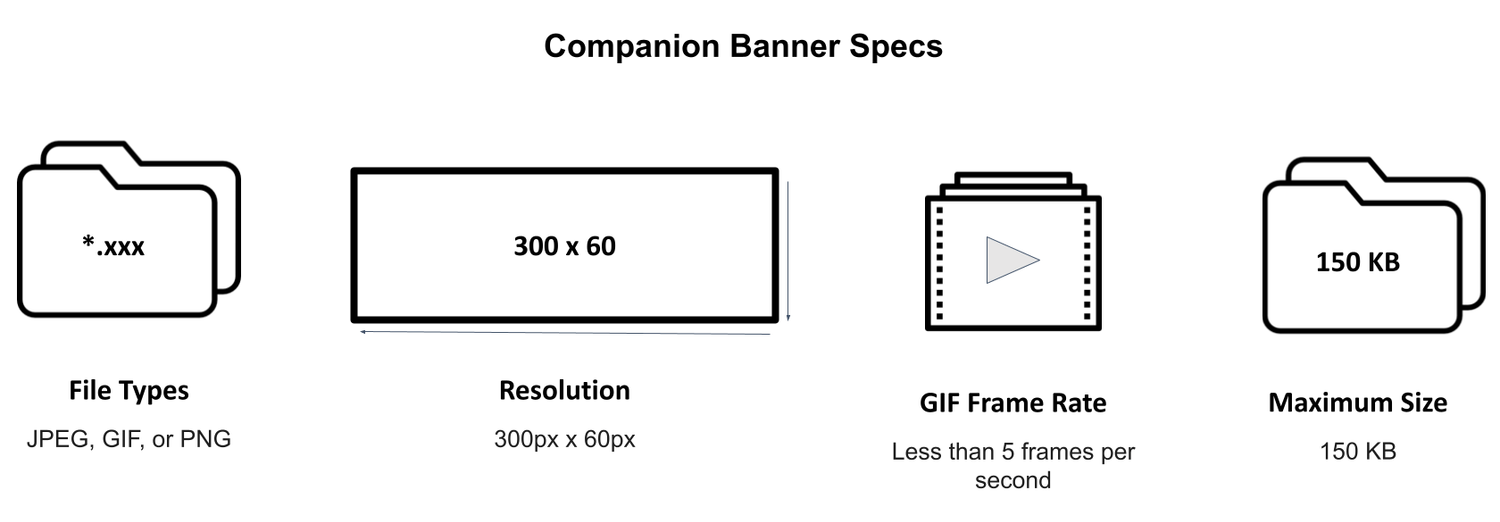
The 300x60 pixel banner is considered a mini-banner format, ideal for displaying minimal information or a simple logo. It usually appears next to the video player.
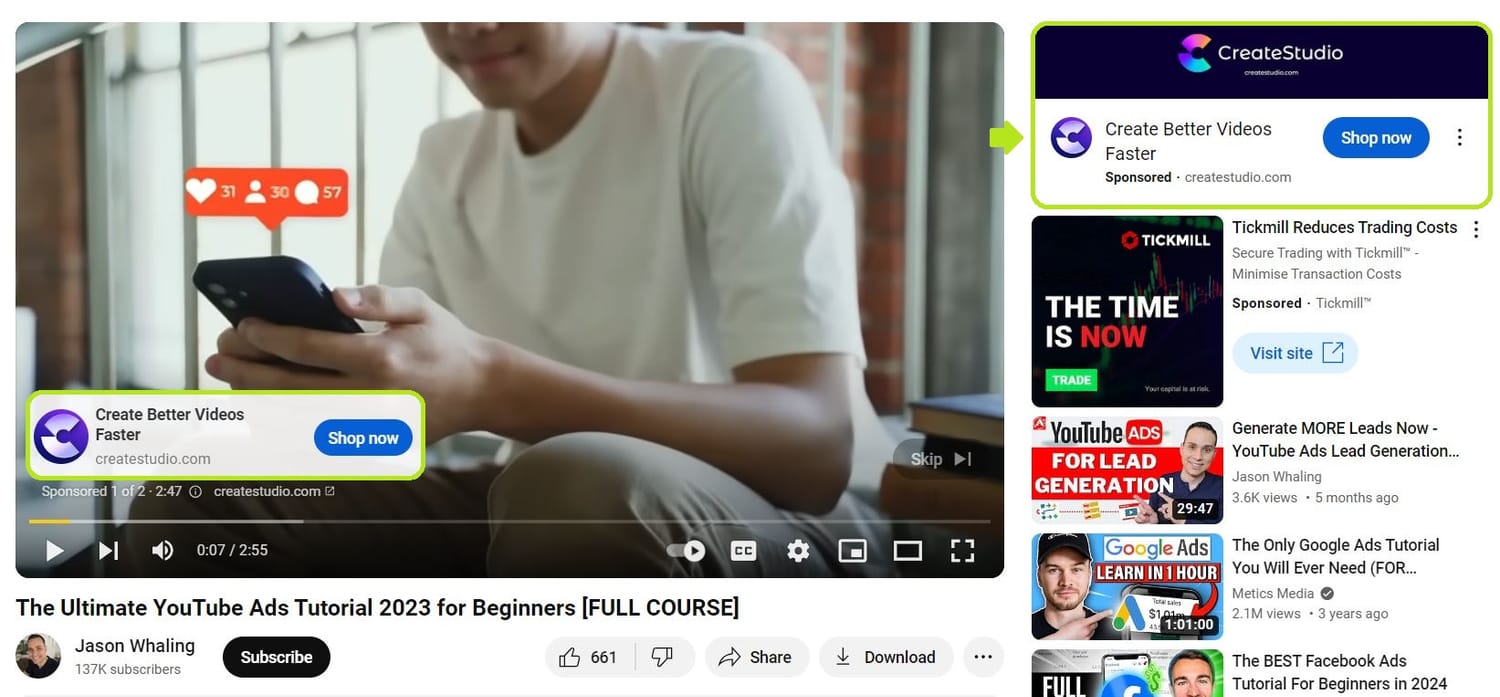
The 300x250 pixel banner, also known as a medium rectangle, offers more space for creative designs and messaging.
It can include images, text, and even interactive elements. This format typically appears in the video suggestions column or near the bottom of a video description.
When designing your banners, aim for a clear and visually appealing layout. Your image files should be in either JPEG, PNG, or GIF formats.
The file size should be below 150 KB to ensure smooth loading on various devices.
Make sure to incorporate eye-catching visuals and a clear call-to-action to encourage viewers to click on the banner.
It's important to understand that companion banners are only available for display on desktop devices, as mobile YouTube users do not have the same ad experience.
However, this can work to your advantage, as desktop users potentially have more time and attention to engage with your advertisement.
Remember to keep your banners up-to-date with relevant information, ensuring they align with your YouTube ad campaign goals.
With the right size, format, and design, your companion banners can be an effective tool for driving engagement and boosting your brand presence.
Taking advantage of YouTube companion banners can significantly increase your visibility and improve the effectiveness of your campaigns.
Create a Custom Companion Banner
Creating custom companion banners for your YouTube ads ensures that your brand messaging is effectively displayed alongside your video content.
To develop a compelling custom companion banner, consider aspects like banner size, creative design, and using companion images that complement your video.
To get started, you need to set up your Google Ads account.
Fill out the required details like your email address, country, time zone, and currency. After that, verify your email address to activate your Google Ads account.
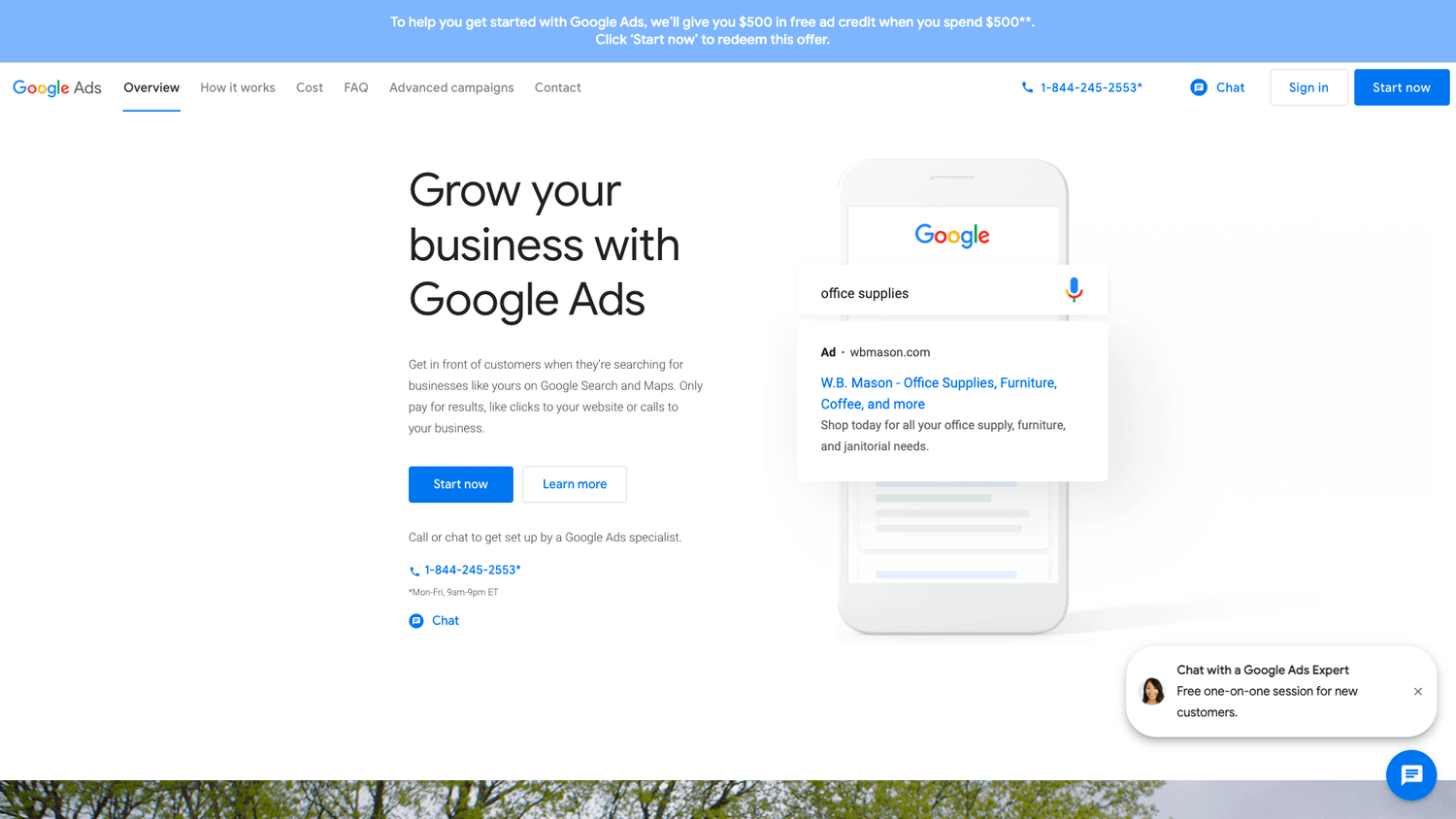
Now that your Google Ads account is set up, you can create a video campaign to promote your YouTube video ad. To do this, follow these steps:
1. Sign in to your Google Ads account.
2. Click on Campaigns in the left-hand menu.
3. Click the plus icon, and then select New campaign.
4. Choose the goal for your campaign, such as sales, leads, or website traffic.
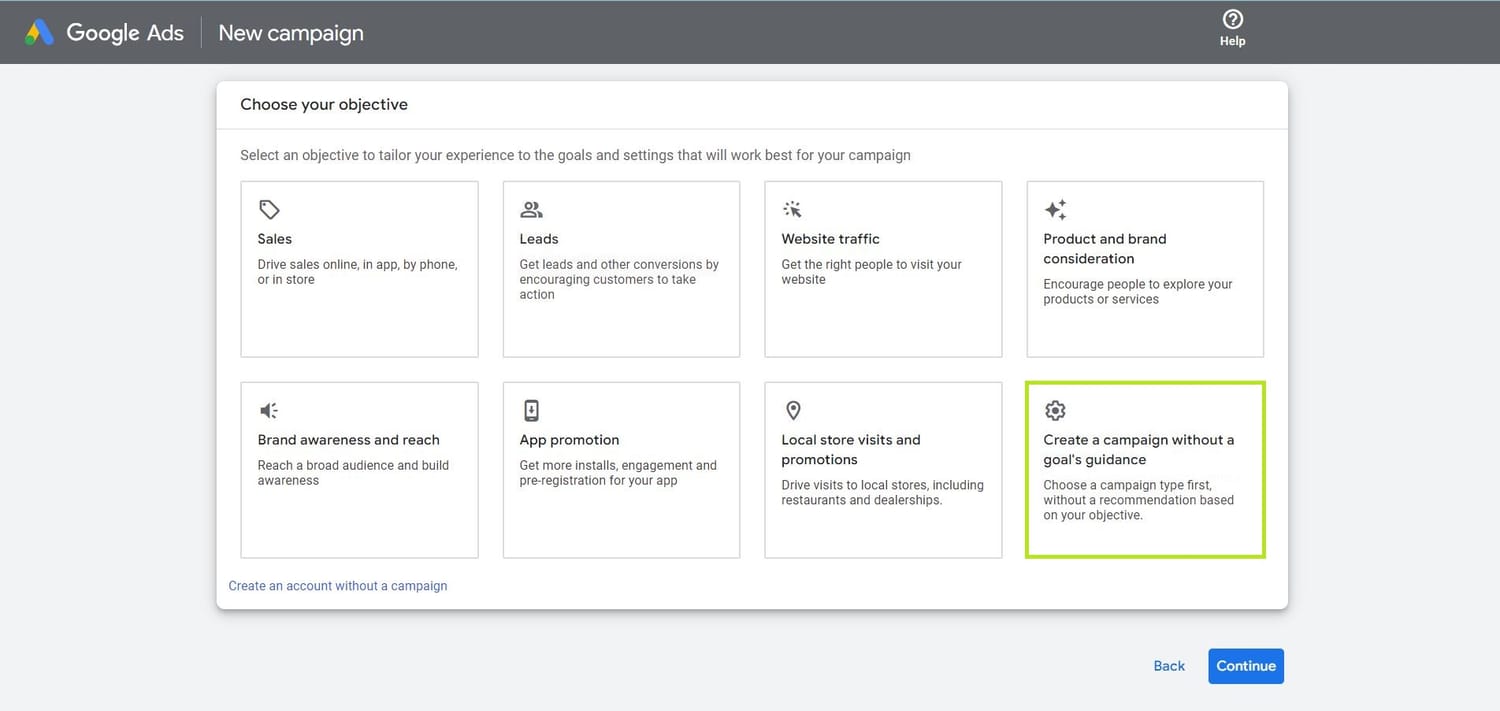
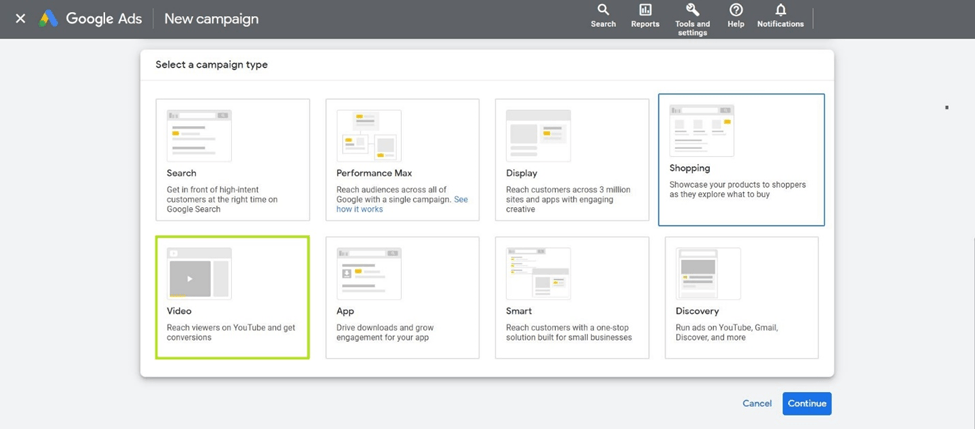
5. Select the Video campaign type.
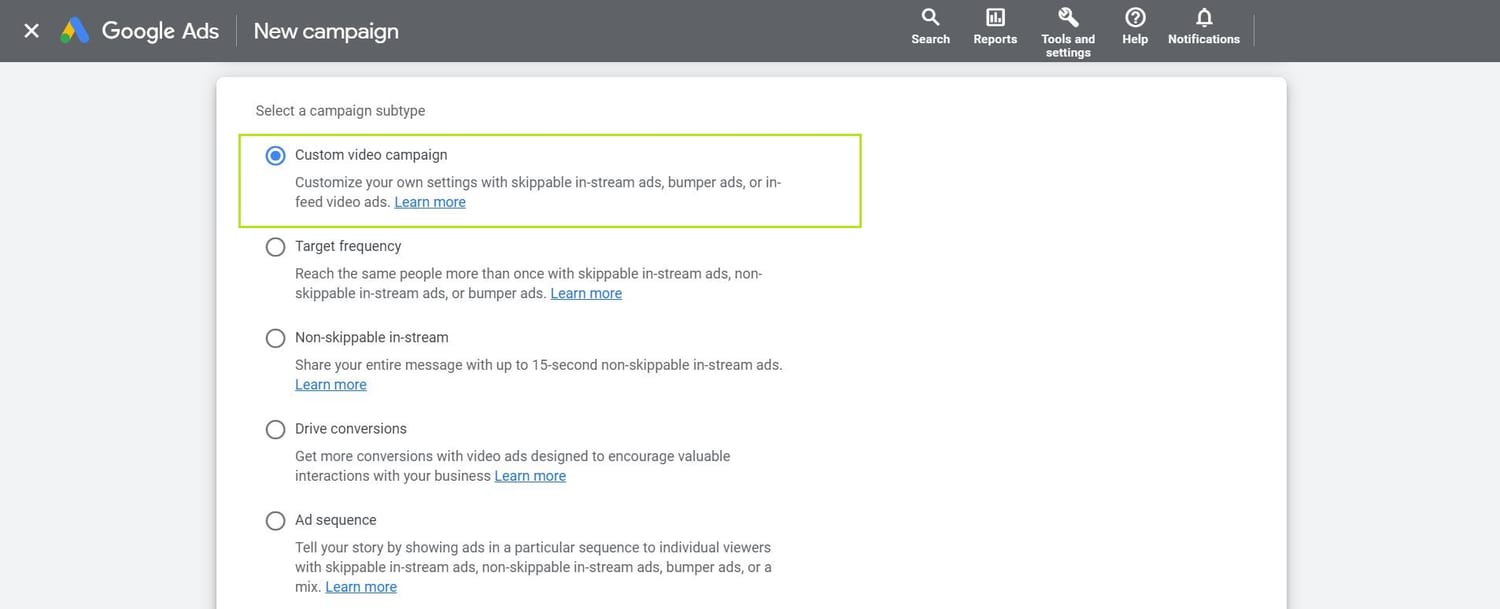
6. In the campaign settings, choose the Custom video campaign subtype.
7. Set your budget, bid strategy, targeting preferences, and other campaign settings.
8. Create a 300x60-pixel image using a design tool of your choice, such as Canva, Adobe Photoshop, or GIMP.
9. Return to your Google Ads account and go to your video campaign.
10. Enter the YouTube URL of the video you want to promote and select the video format (skippable in-stream ad, non-skippable in-stream ad, etc.).
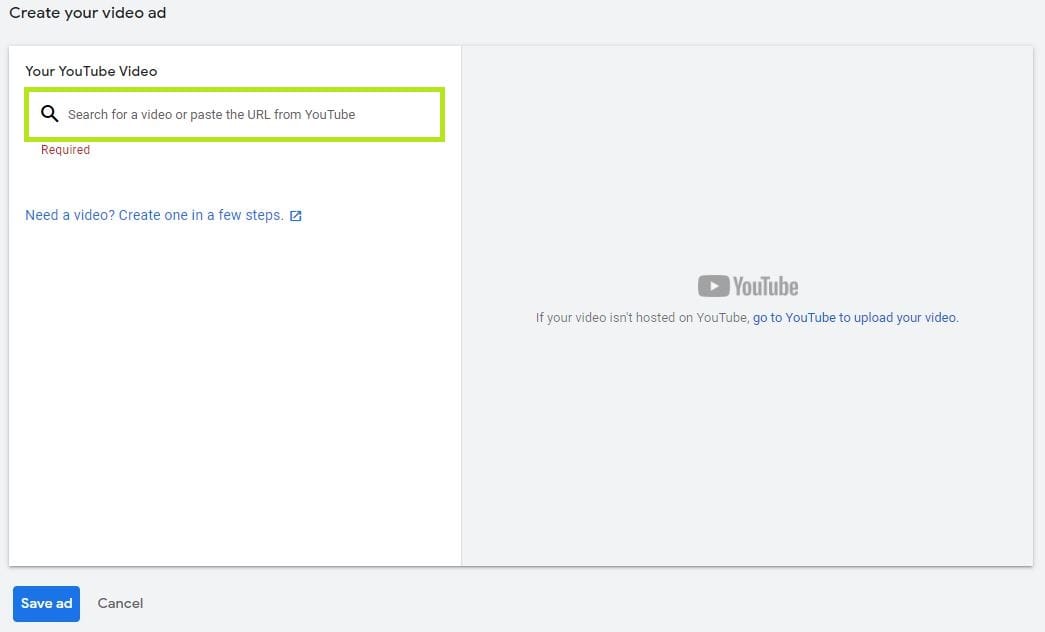
11. After you enter the YouTube URL for your ad, the "Companion banner (computers only)" section appears.
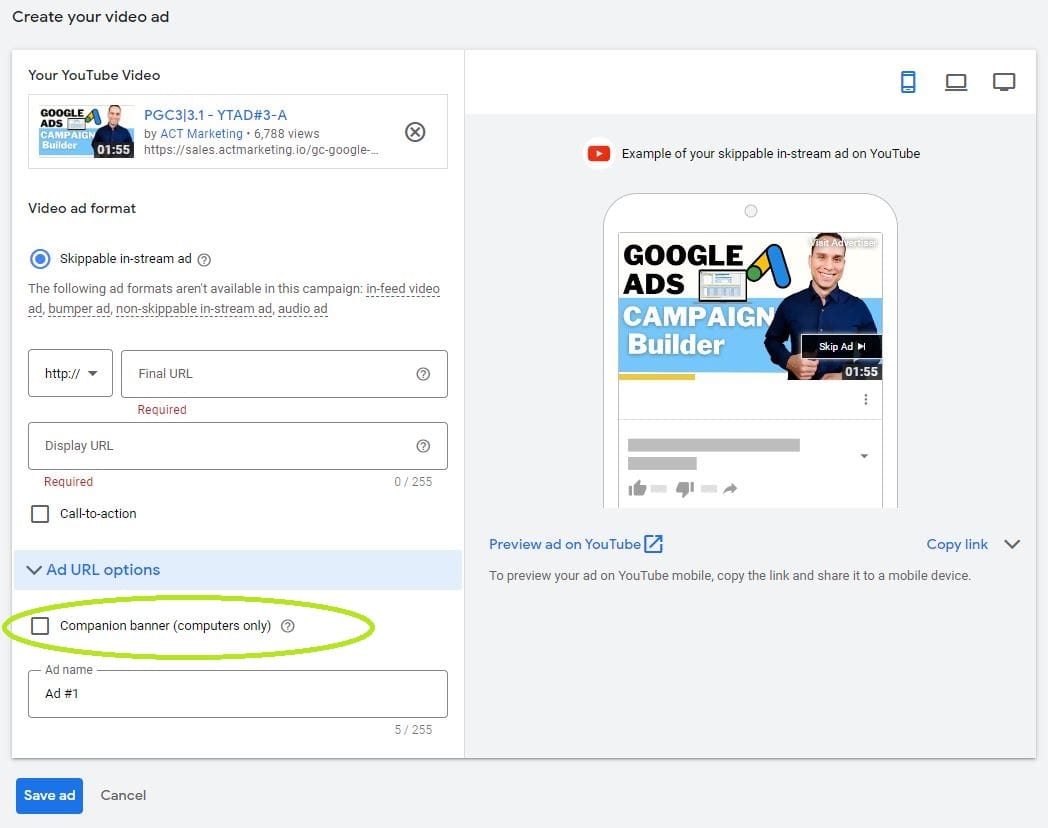
12. Choose to upload an image of the custom banner from your computer. Make sure that your design meets the specifications.
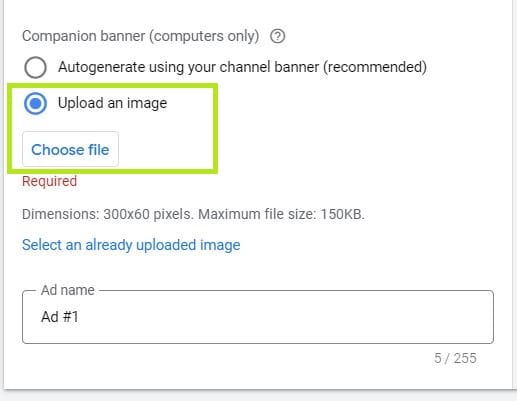
13. Fill in the remaining details for your video ad, such as the display URL and final URL, and save your ad.
With these steps, you have successfully created a companion banner for your YouTube video ad with Google Ads.
Your companion banner will now appear next to your video ad on the YouTube watch page, helping you to reach your target audience more effectively.
Strategies for Making Your Companion Banner Stand Out
To ensure your companion banner on YouTube stands out and effectively draws attention, follow these best practices:
Use bold, relevant images that instantly convey your message and complement the video content.
Emphasizing minimal text with clear typography can make your banner appear clean and uncluttered, encouraging viewers to engage with your ad.
Consistently using your brand's colors, logo, and fonts can reinforce brand recognition and make your banner quickly distinguishable.
This familiarity can increase trust and prompt the desired action, such as visiting your website or purchasing a product.
Consider experimenting with animated banners, as they can capture viewers' interest more effectively than static images.
However, ensure that the animation stays true to your brand and complements the user experience, rather than being a distraction.
Always include a clear call-to-action (CTA). Your CTA should be concise, specific, and prominently displayed on your banner.
Encourage actions like "Shop now," "Learn more," or "Sign up" to drive traffic to your desired landing page and convert viewers into customers.
Pay attention to the technical specifications of YouTube companion banners. Ensure that your banner adheres to the required dimensions (300x250 or 300x60 pixels) and file size limits for optimal display on the platform.
Following these guidelines will prevent issues with your ad's presentation and enhance the overall user experience.
Conclusion
Generating an impactful YouTube advertising campaign requires extra effort— which is why companion banners are such a great asset.
Not only can they showcase products, services, and promotions with a dynamic appeal, but they also act to remind viewers of their interactions with your brand long after they’ve finished watching your videos.
Additionally, with their customizable nature and ability to drive click-through traffic, companion banners are a valuable tool for amplifying your advertising efforts on YouTube.
For maximum effectiveness, it’s essential that you pay attention to the size and formats of any companion banners you create.
When done correctly, these banners can serve as additional advertising materials that accompany your YouTube ads and promote your brand in impactful ways.
So if you’re looking to take your video marketing campaigns up a notch on this platform, don’t forget to include some attractive companion banners in the mix.
Click the link below to learn more about YouTube Ads so you can start growing your business today!
SHARE


Subscribe now
Sign up for our newsletter to get the most interesting stories of the day straight to your inbox before everyone else
Privacy policy • Terms of service • | © 2025, ACT Marketing, LLC